Get verified with a short video, edit photos before they go live, and spot AI-touched images at a glance—plus supporter-only venues and a signup that gets you in faster.
New Features
Bug Fixes / Updates
- Friends: Approve, decline, or cancel a friend request from the profile header—no extra trip to the Friends list.
- Blocking: After you block someone you land on Home instead of a blank profile.
- Feed: Events you are going to, maybe attending, waitlisted for, or invited to now mix into your home feed with a status badge.
- Search: Typing a profile name no longer steals focus when results open, so you can keep searching without fighting the keyboard.
- iPhone: The Spicy Friends logo and Join button respond to taps in Safari again.
- Welcome: The new-member welcome screen sits clear of the mobile nav and safe area.
- Events: Start and end times no longer flicker or mismatch on first load when the event is in another timezone.
- Points: Awards for posts, comments, reactions, photos, and videos were rebalanced after launch.
- Safari: Structured data on pages no longer errors in Safari.
Feature - Image Editor
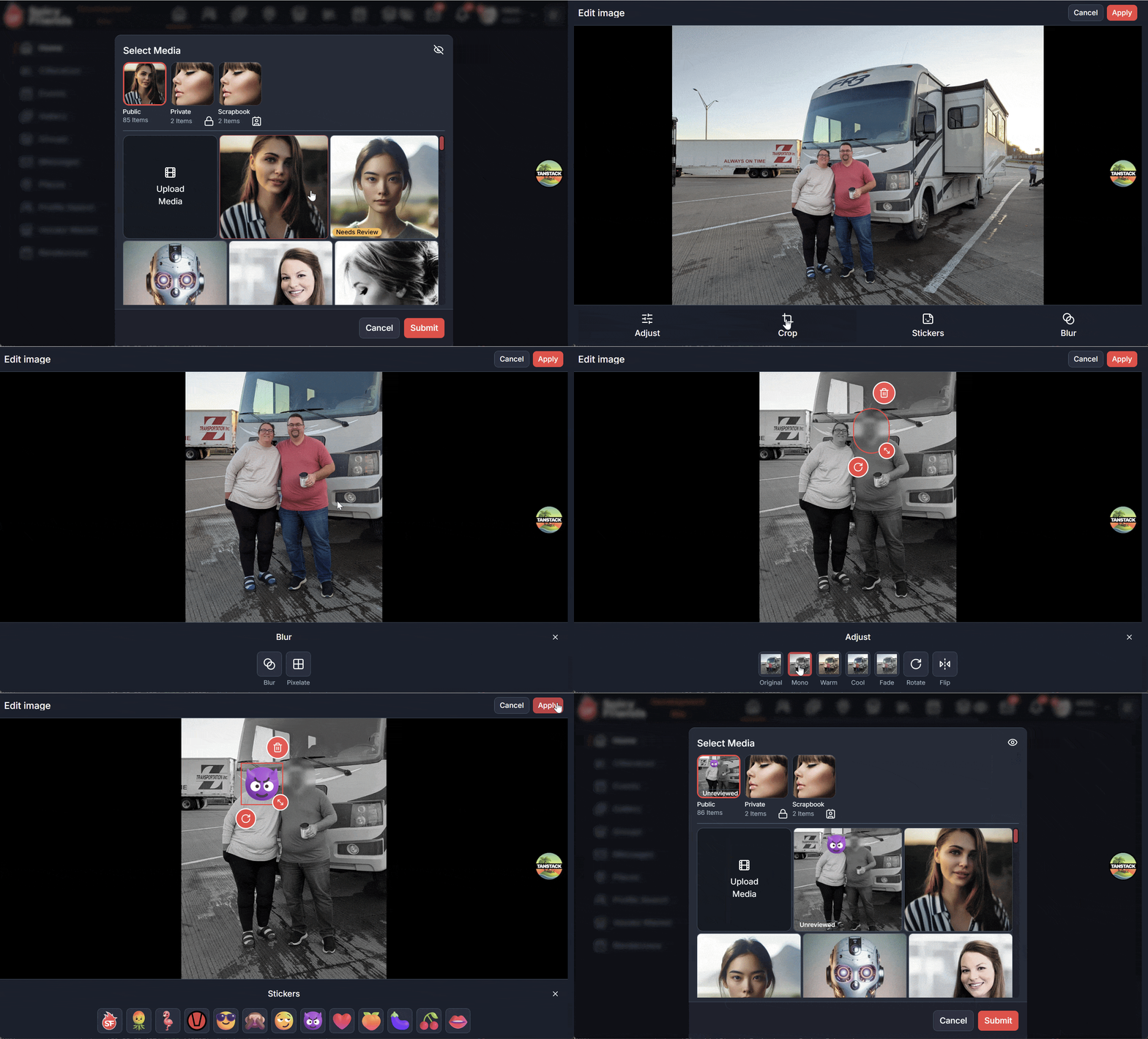
Crop, cover, and stamp before you upload. When you add photos to an album (or a place, event, group, publication, or vendor listing), tap Edit on a thumbnail to open the editor. Adjust with filters (Original, Mono, Warm, Cool, Fade), rotate, and flip. Crop freeform or to 1:1, 4:5, or 16:9. Drop stickers (logo, pineapple, flamingo, swinger symbol) and use blur or pixelate covers to hide faces.
Edits apply before upload—they are not a re-editor for photos already in an album. Preview members (the 14-day trial) and Supporters can apply edits. After preview ends, the editor stays a Supporter perk; free members get 2 free uses of the image editor.
Feature - Video Verification
A short video, not a still photo. Getting verified now uses a video plus a challenge code instead of a photo of you holding paper. Member-to-member verification (two verified members) and meeting the admin team in person are unchanged.
Email [email protected] with the subject Verification Request. Support replies with a unique code—you have 24 hours to finish. Record a clip 15 seconds or less holding a sign with your profile name and that code. Say both out loud, keep faces visible, move around (do not stand still), and skip filters, beauty modes, overlays, and screen recordings. Couples: both of you need to appear.
Upload the video to an album—private is recommended—then reply on the same email thread. Admins review it; you can delete the video after you are verified. Full steps live in the Get Verified help article.
Feature - AI Content Labels
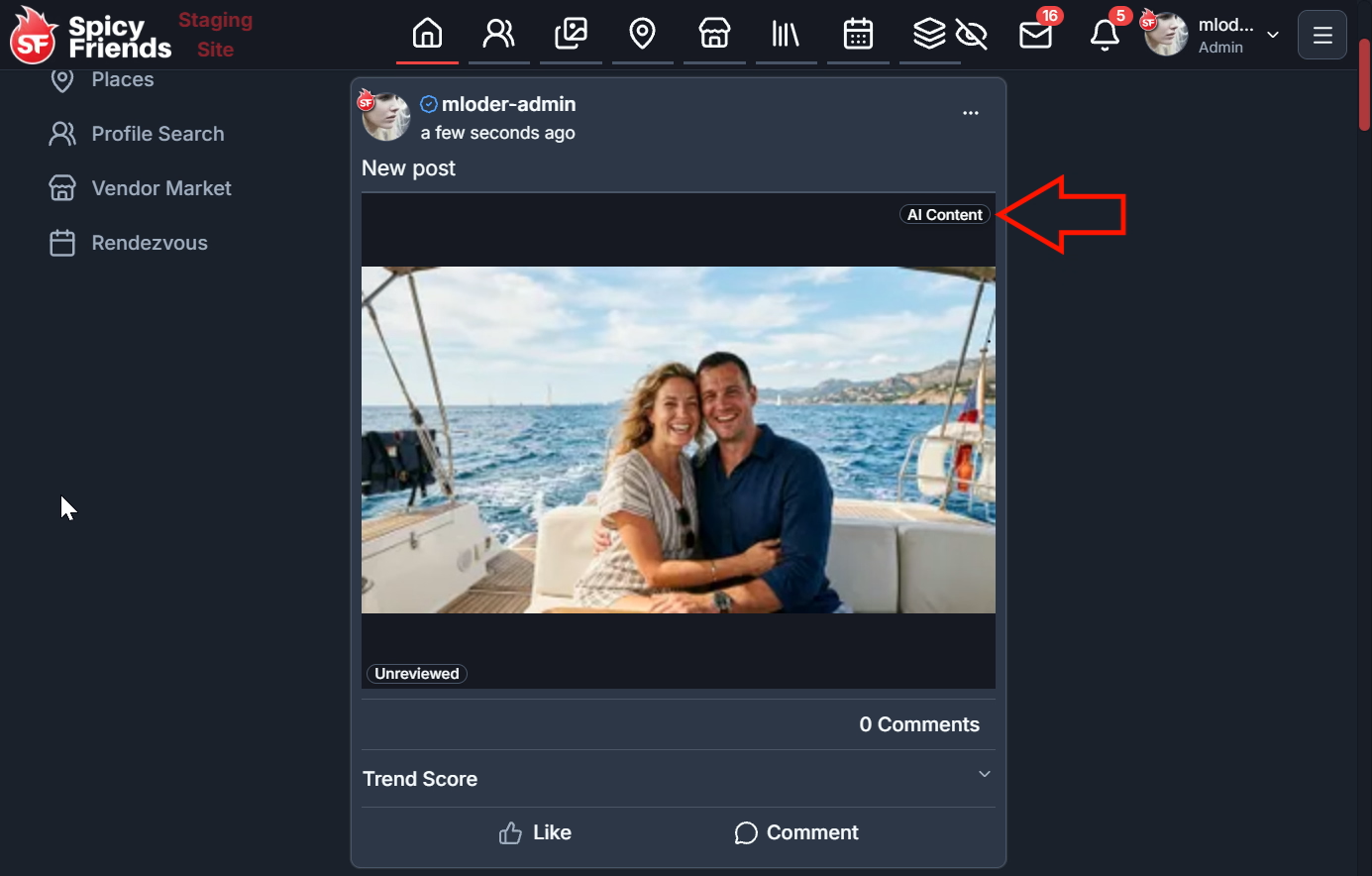
Know when a photo may be AI-touched. Media that looks AI-generated or heavily enhanced can show a badge on the thumbnail and in the media viewer. Tap it for a short explanation.
- AI Content — a large part of the image may be AI-generated.
- Enhanced — the photo may include AI enhancements or filters.
Detection is automated and a best guess—it can be wrong. Most everyday photos will have no badge at all.
Feature - Supporter-Only Places
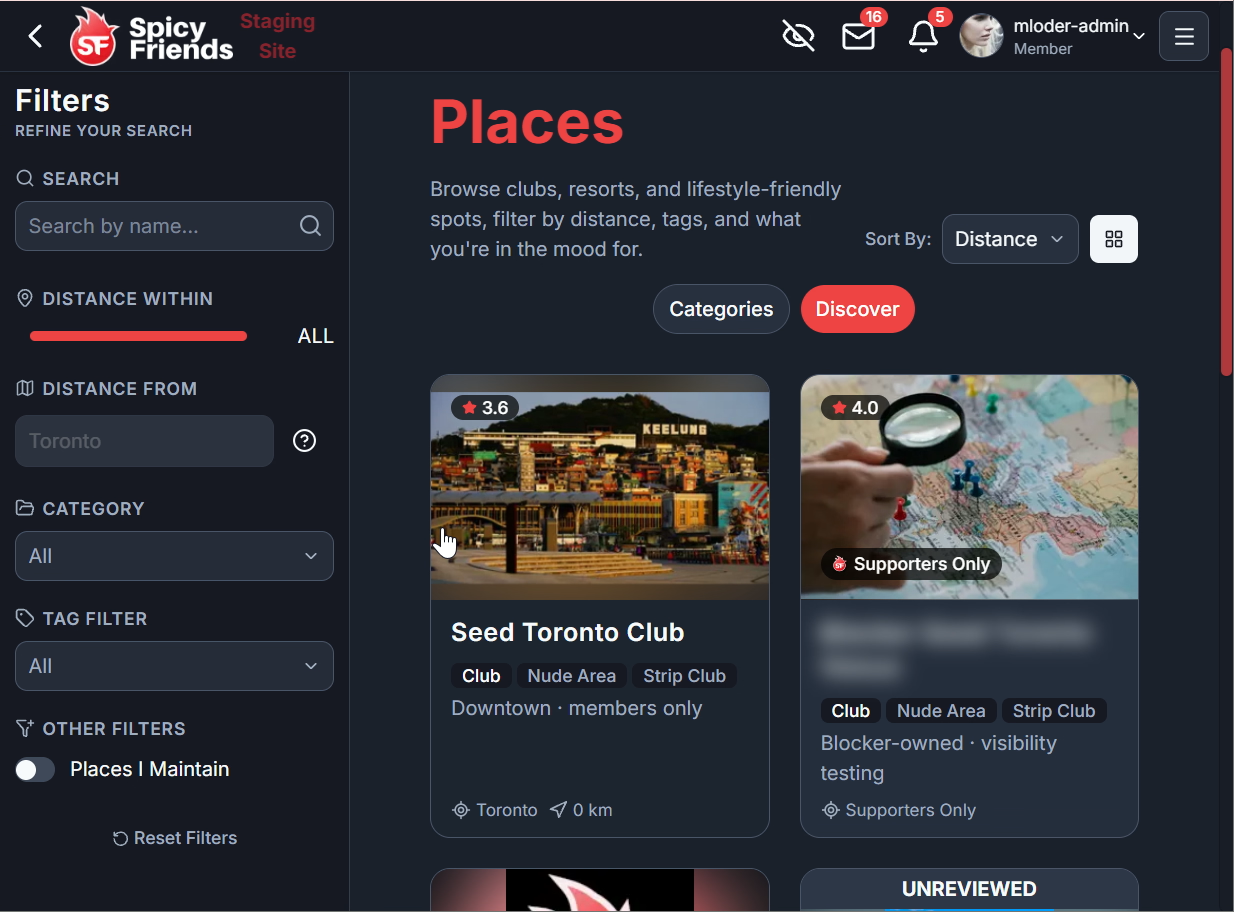
Venues that stay in the circle. Some place listings are now Supporters Only. Think spots that should not sit in the open directory, such as nude camping and similar locations. They still appear in the Places list when you are signed in, with the name blurred and a Supporters Only badge instead of the address. Open one and you will be asked to be a Supporter (Preview trial counts). Logged-out visitors do not see these listings at all.
Feature - Faster Signup
Fewer fields between you and the community. Signup keeps the essentials—profile name, email, password, date of birth, and location—and drops the extra confirm-password field plus separate age and policy checkboxes. One line confirms you are 18+ and agree to the Terms of Use and Acceptable Use Policy. Referral codes sit behind Have a referral code? unless the invite link already filled one in. Profile names can be 4 characters (the previous error message made that look invalid).